Hillnote for your learning
A workspace that teaches you back.
Learning falls apart when notes pile up and nothing sticks. Hillnote turns what you collect into bite-sized slides, tracks your progress on a board, and lets a scheduled AI tutor quiz you — so a subject moves from to-learn to learned, wherever you are.
Learn in bite-sized pieces that actually finish.
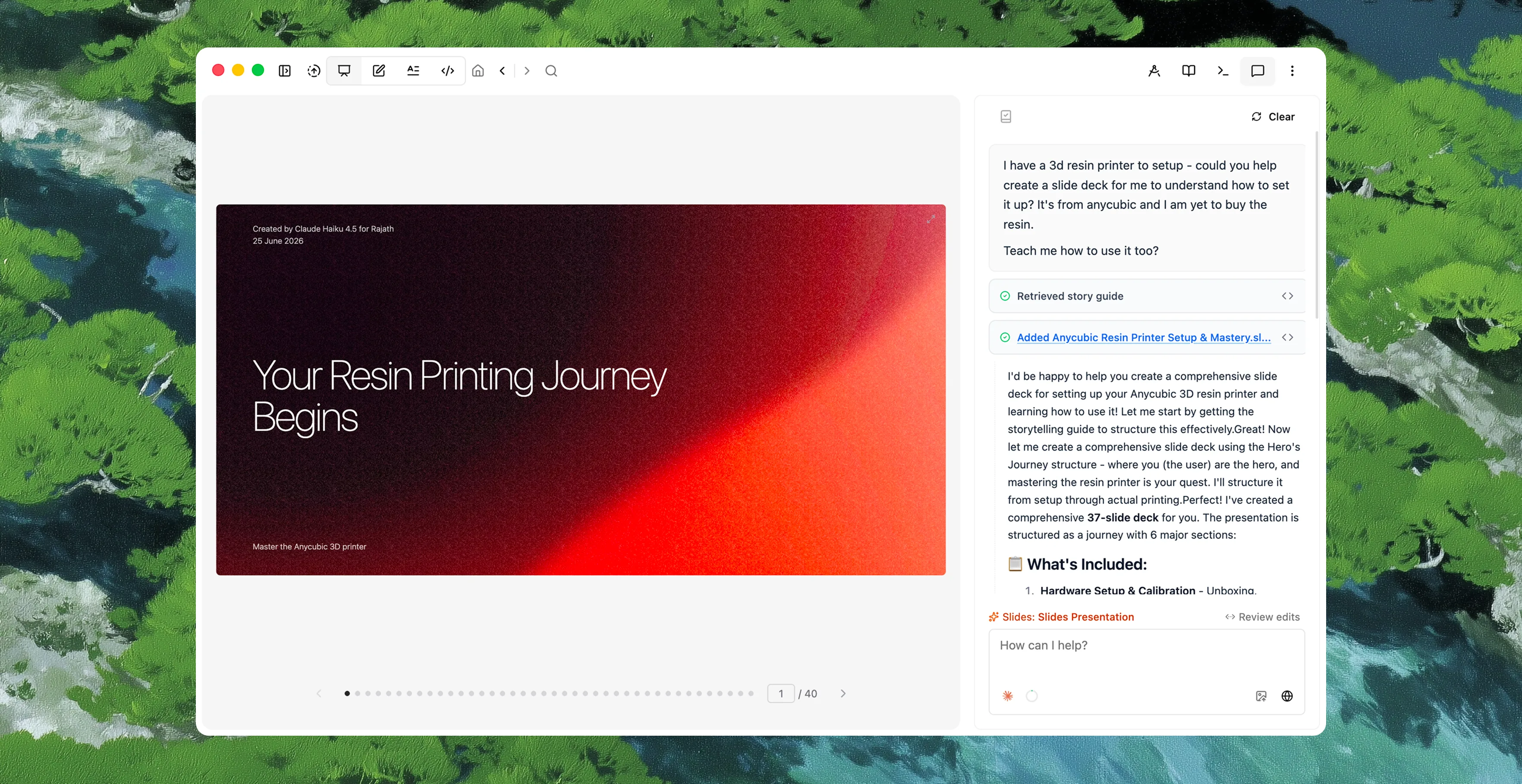
Take quick notes as you go, then turn any document into slides and step through a subject one idea at a time. A scheduled routine can feed you a little each day — a recap of yesterday, today's concept, a quick quiz — so a big topic arrives in pieces small enough to finish and small enough to remember.
A loop that turns notes into knowledge.
Capture what you meet, collect and connect it in one place, review it in small pieces, let an AI tutor pull it back up, and track it until it sticks — every step on the same markdown files.
1 · Capture
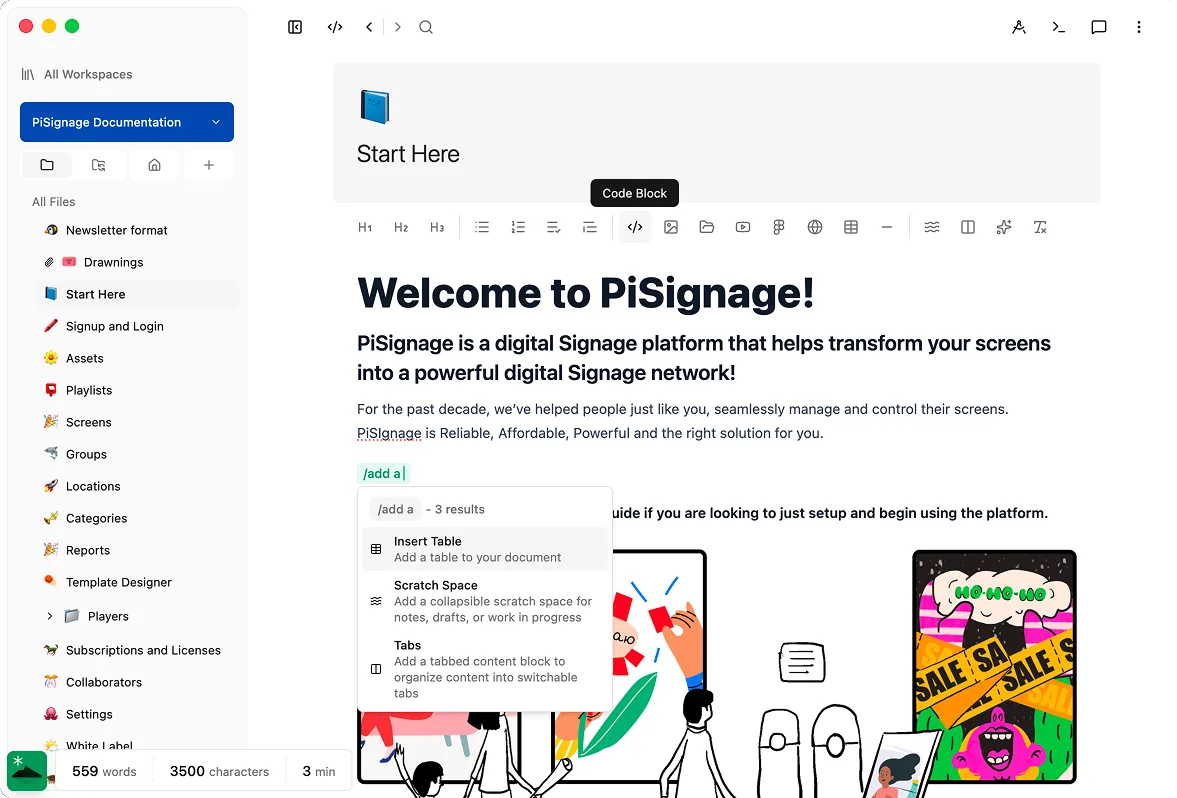
Jot a note, a highlight, or a question the moment you meet it — one tap on mobile, one keystroke on desktop.
2 · Collect
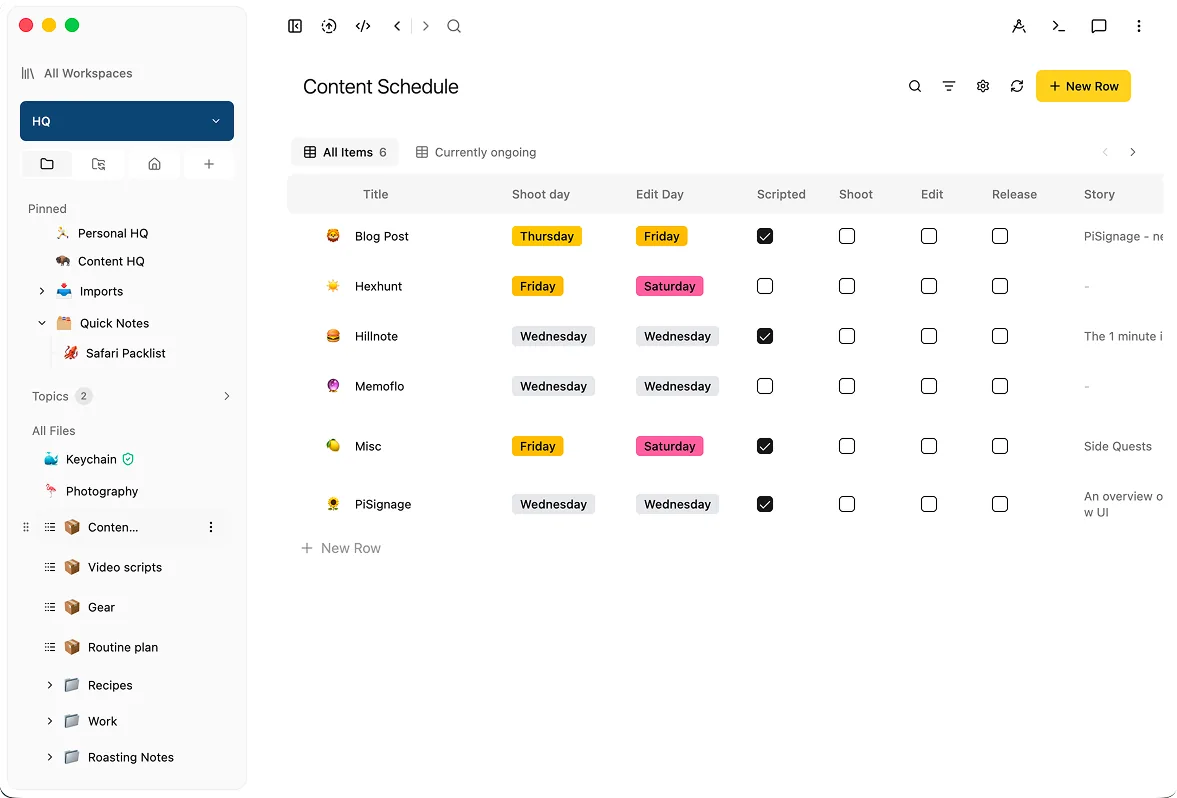
Gather everything you're learning into a database with typed properties — sources, topics, status.
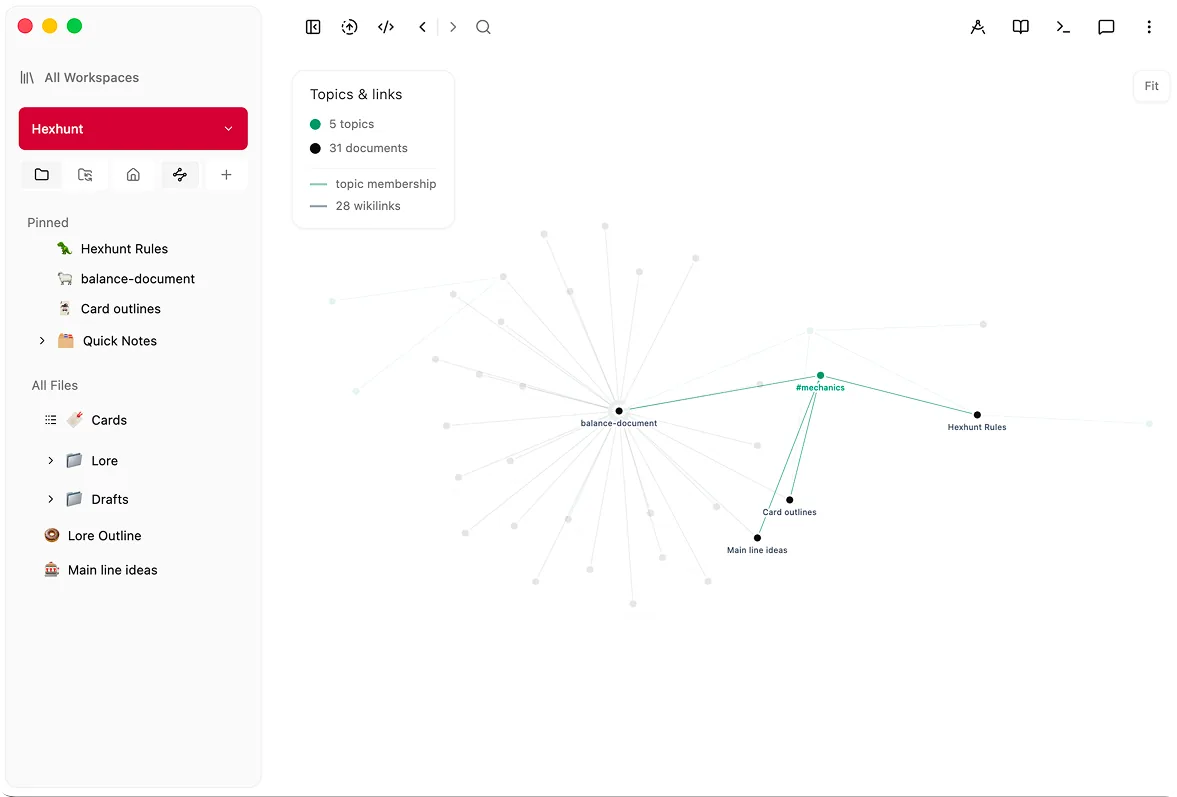
3 · Connect
Link related notes with [[links]] so a subject grows into a web you can follow, not a pile you forget.
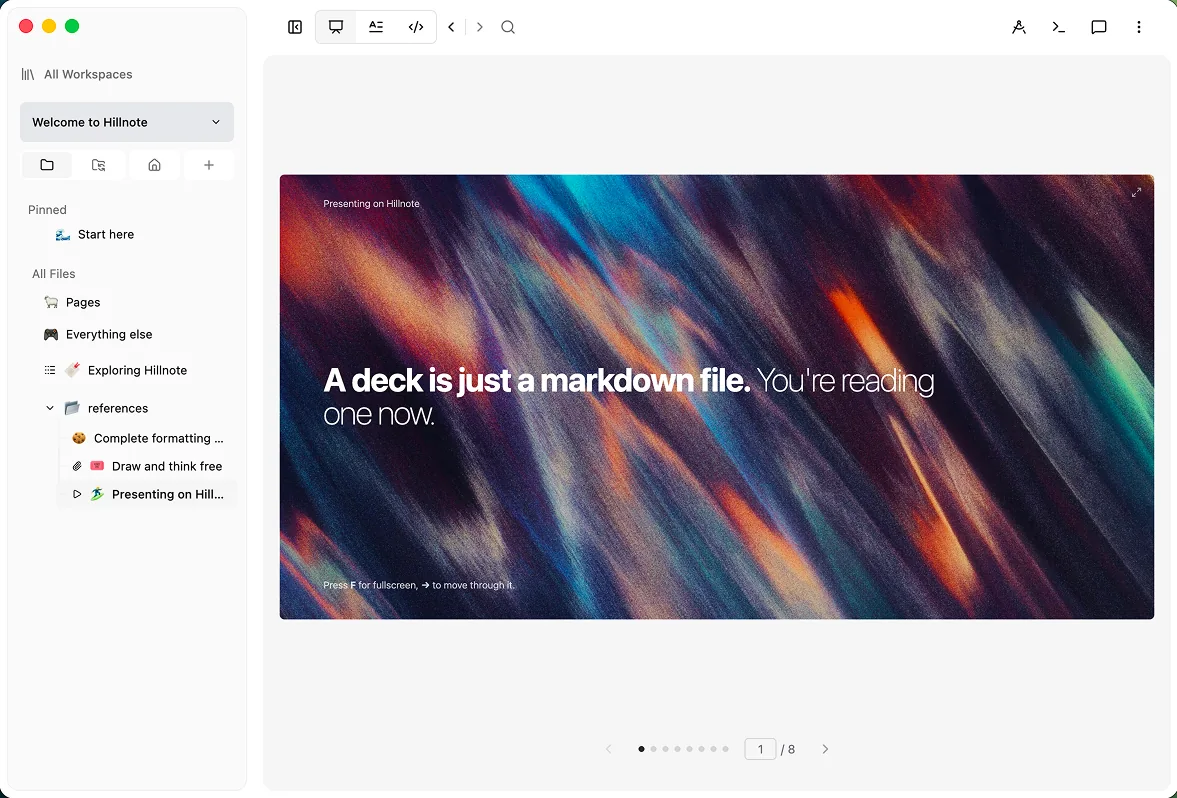
4 · Review
Turn any document into slides and step through a subject one idea at a time, on any device.
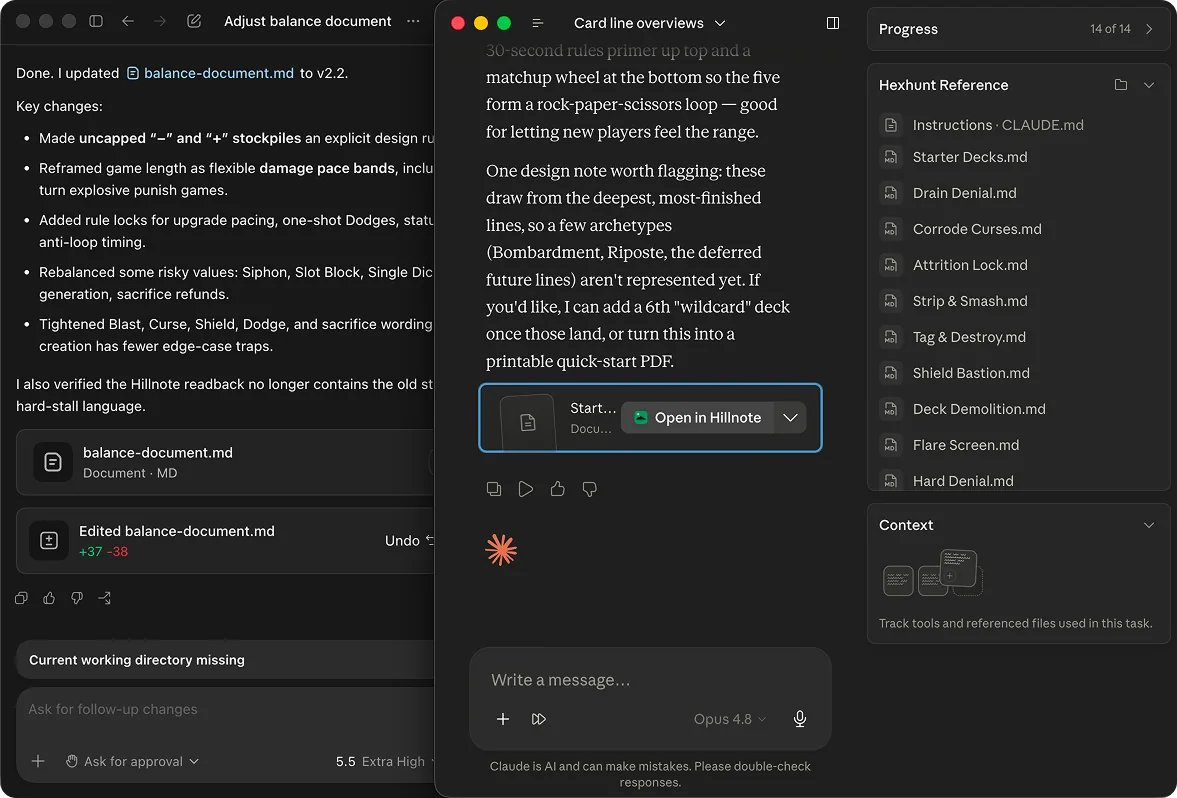
5 · Recall
Let a scheduled AI tutor quiz you and recap what you covered, so each idea gets pulled back up until it sticks.
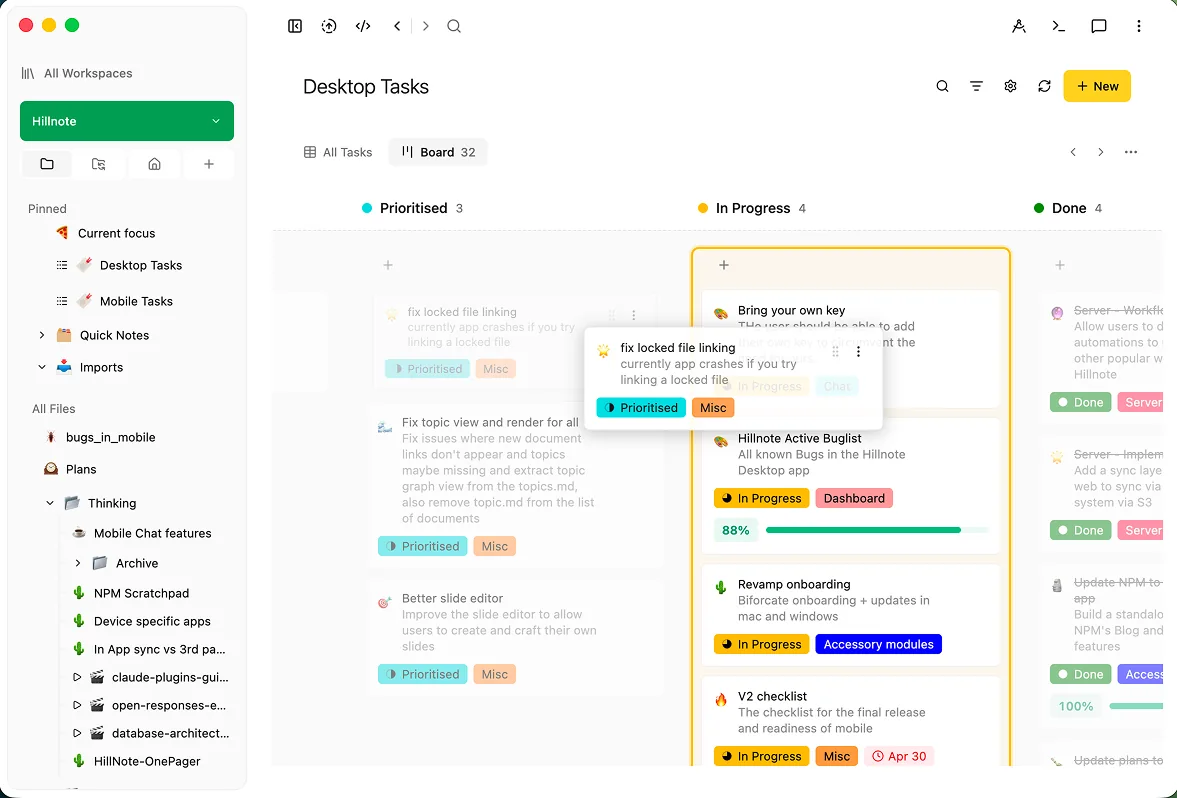
6 · Track
Move each subject across a board from to-learn to learned, so progress is something you can see.
A little to learn, delivered every day.
Set a routine and your AI tutor shows up on its own — a morning recap of yesterday, a single new concept for today, a quick quiz to make it stick. Schedule it on a cron or a workspace event and a big subject arrives in daily nuggets small enough to finish, so progress keeps happening even on the days you don't open the app.
Built to help it stick.
Slides for review
Break any document into bite-sized slides and step through a subject one idea at a time.

Tutoring routines
Schedule an AI routine to quiz you, recap a topic, or queue up what to study next — learning that runs on its own.

Track it on a board
Move each subject from to-learn to learned on a kanban board, so progress is something you can actually see.
Collect it, then let AI find the pattern.
Once it's all in one database, ask AI — on-device for quick passes, or a frontier model like Claude over MCP for deeper work — to read across the whole thing and pull out themes, gaps, and the connections you were too close to see. Because it's open markdown, you can study it from your phone or hand it to an agent. The more you gather, the more there is to learn from.

 Download for Mac
Everything you need to get started.
- Core editor on desktop and mobile
- Local AI via Ollama and Apple Intelligence
- Limited premium model use
- 100MB of synced storage
- Collaboration on synced workspaces
Annual plan only
Publish, automate, and bring your own keys.
- Everything in Free
- 1GB of synced storage
- Publish a workspace as a doc, blog, or site
- Up to 3 routines
- Bring your own API key
Billed monthly
For power users who lean on frontier AI daily.
- Everything in Plus
- 10GB of synced storage
- Publish up to 6 workspaces
- Custom domain mapping
- Up to 5 routines
- 20× the premium model credits of Free and Plus
Learning questions, answered
How does an AI tutor run on a schedule?
Save a workflow as a routine and have it run on a schedule or a workspace event — for example, a morning quiz on yesterday's notes or a weekly recap of a topic. Plus includes up to 3 routines and Pro up to 5, so your tutor shows up without you having to start it.
How do slides help me learn?
Any document can become slides, so you can break a big subject into bite-sized pieces and step through it one idea at a time. It's an easy way to review and self-test, instead of re-reading a wall of notes — and it works just as well on your phone as on your desktop.
How do I track what I've learned?
Put each subject on a kanban board and move it from to-learn to learning to learned. Because the board, your notes, and your slides all sit on the same markdown files, your progress and your material never drift apart.
How does AI find patterns in my notes?
Collect what you're learning in a database — notes, highlights, questions — and ask AI to read across all of it. It can pull out recurring themes, surface gaps you haven't covered, and connect ideas in separate documents. Run it on-device for quick passes, or hand the same files to a frontier model like Claude over MCP for deeper work.
Can I learn on the go, offline?
Yes. The editor, slides, boards, and databases all work fully offline on Mac, Windows, iOS, and Android, with local AI handling quick reviews on your machine. Sync keeps your material in step across devices; scheduled cloud routines and frontier models only come into play when you turn them on.