Hillnote for your planning
Plan the work where you do the work.
Most plans live in one app while the notes, research, and docs they're about live in five others. Hillnote keeps them together — boards, tasklists, and a calendar built on the same plain-markdown files as everything you're planning around.
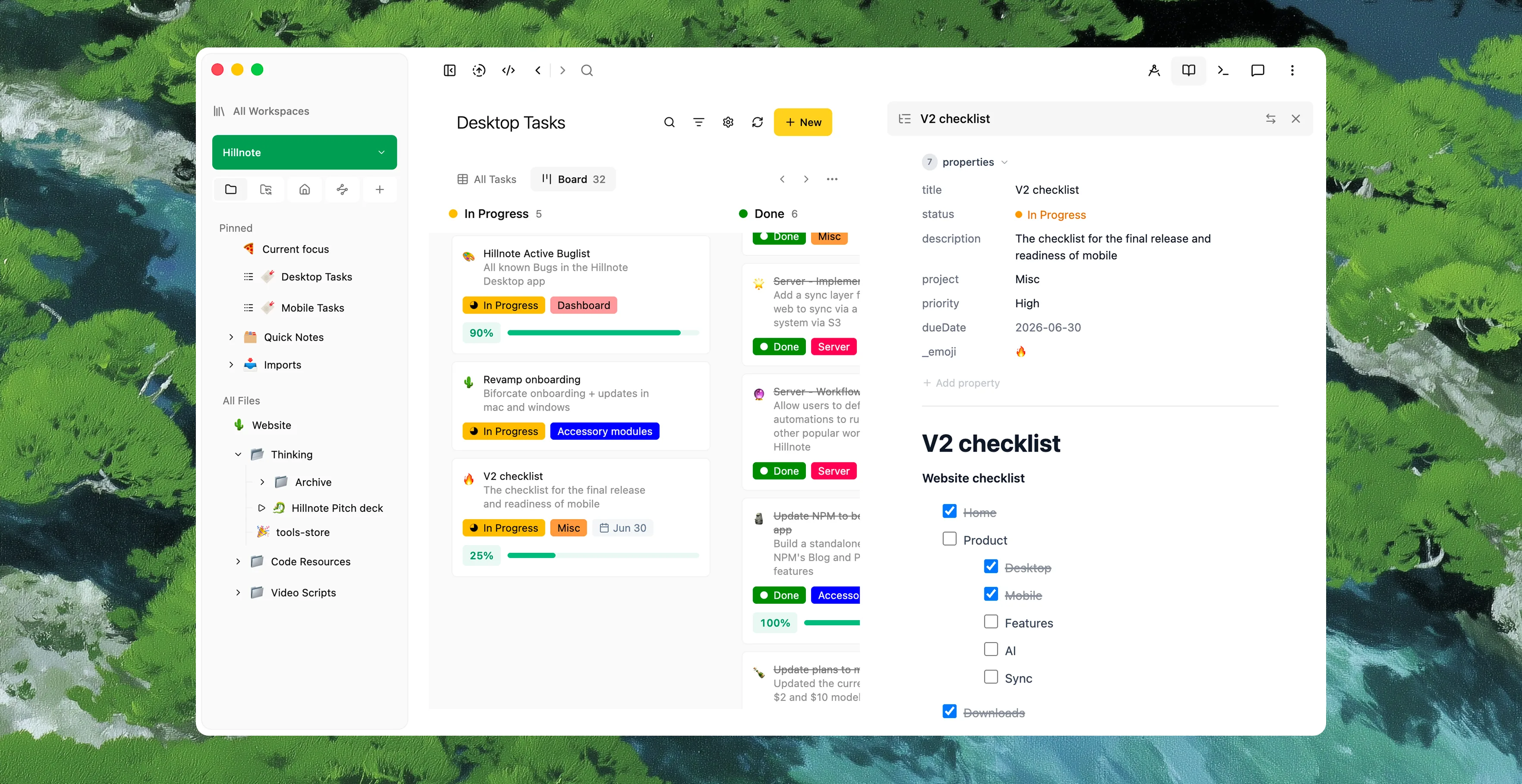
Plan the work right where you do the work.
A task isn't a line in some other app — it links straight to the document, note, or spec it's about. Open the task and the work is one click away; open the doc and you can see what's still owed on it. Your plan and your material stop living in two places that quietly drift apart.
Let your agents execute on your plan.
Your board is plain markdown, so the agents you already run — Codex, Cowork, Claude — read what's planned and actually move it forward from the tools they live in, instead of just reporting back. Set a routine to check the board on a schedule you control, then hand the next tasks straight to an agent and let it do the work while progress lands back on the plan.
Plan it out with people — and with agents.
Point Claude or Cursor at the same folder and they restructure the plan right inside your markdown, no copy-paste. Turn on sync and collaboration and the same workspace stays in step across people and devices, so a team can plan in real time on Mac, Windows, iOS, and Android — then break apart and keep a private local copy.
Organize it the way the work wants.
Kanban boards
Drag work across columns to see a project move from idea to shipped at a glance.
Tasklists
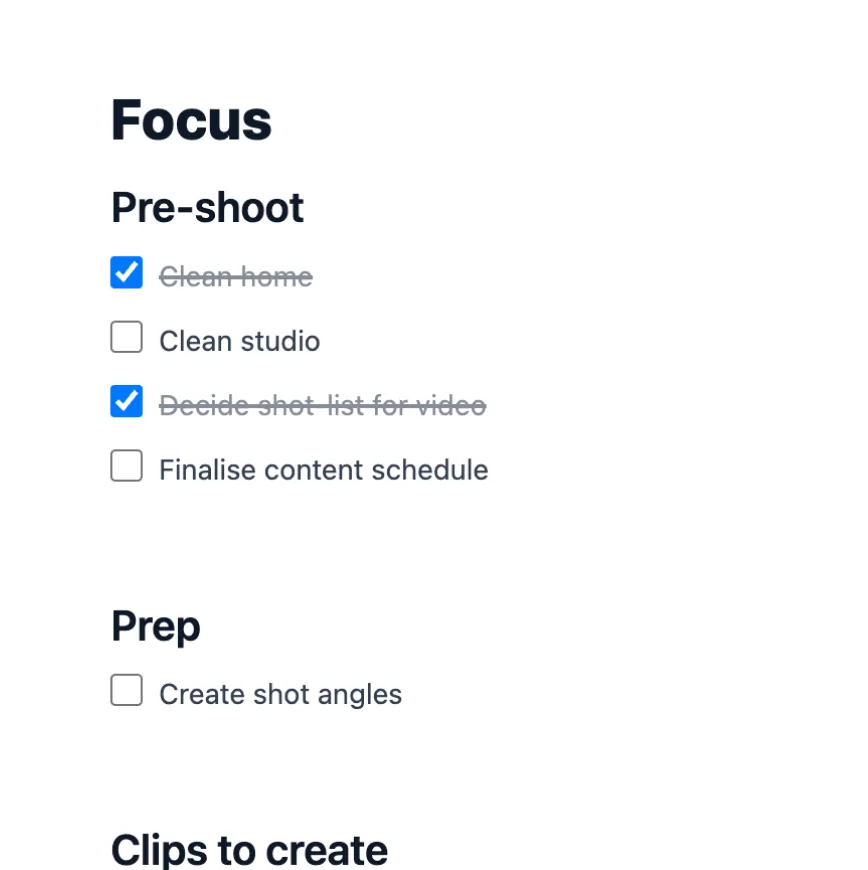
Break a piece of work into checkable steps, nested as deep as the job needs.
Calendar view
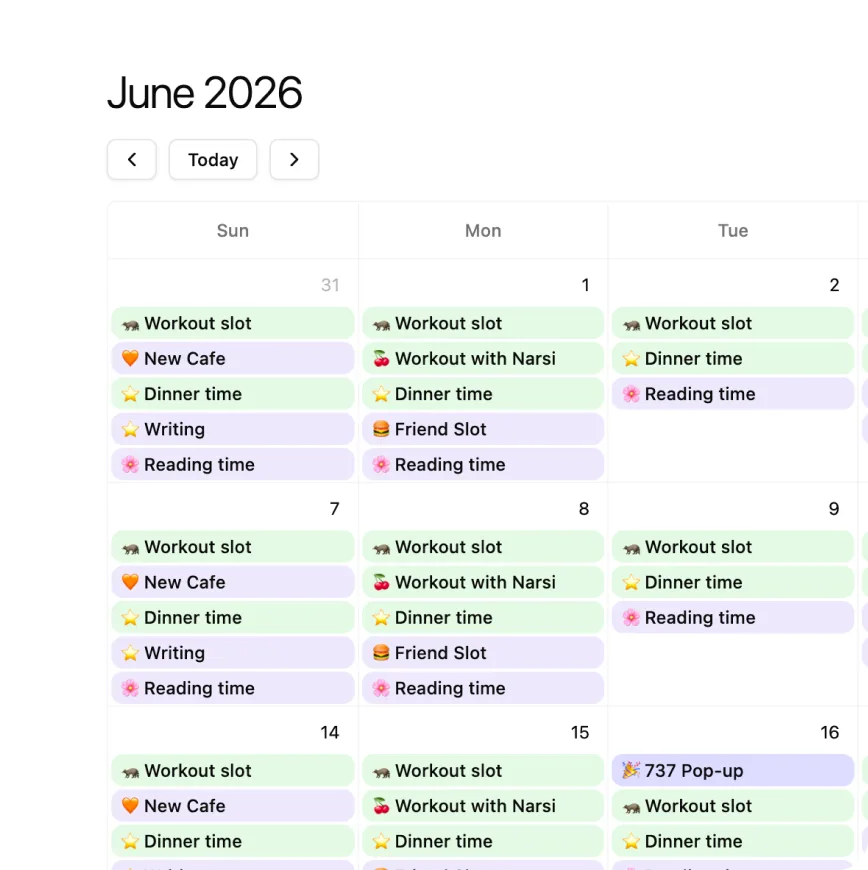
Anything with a date lands on a month or week view, right beside your notes.
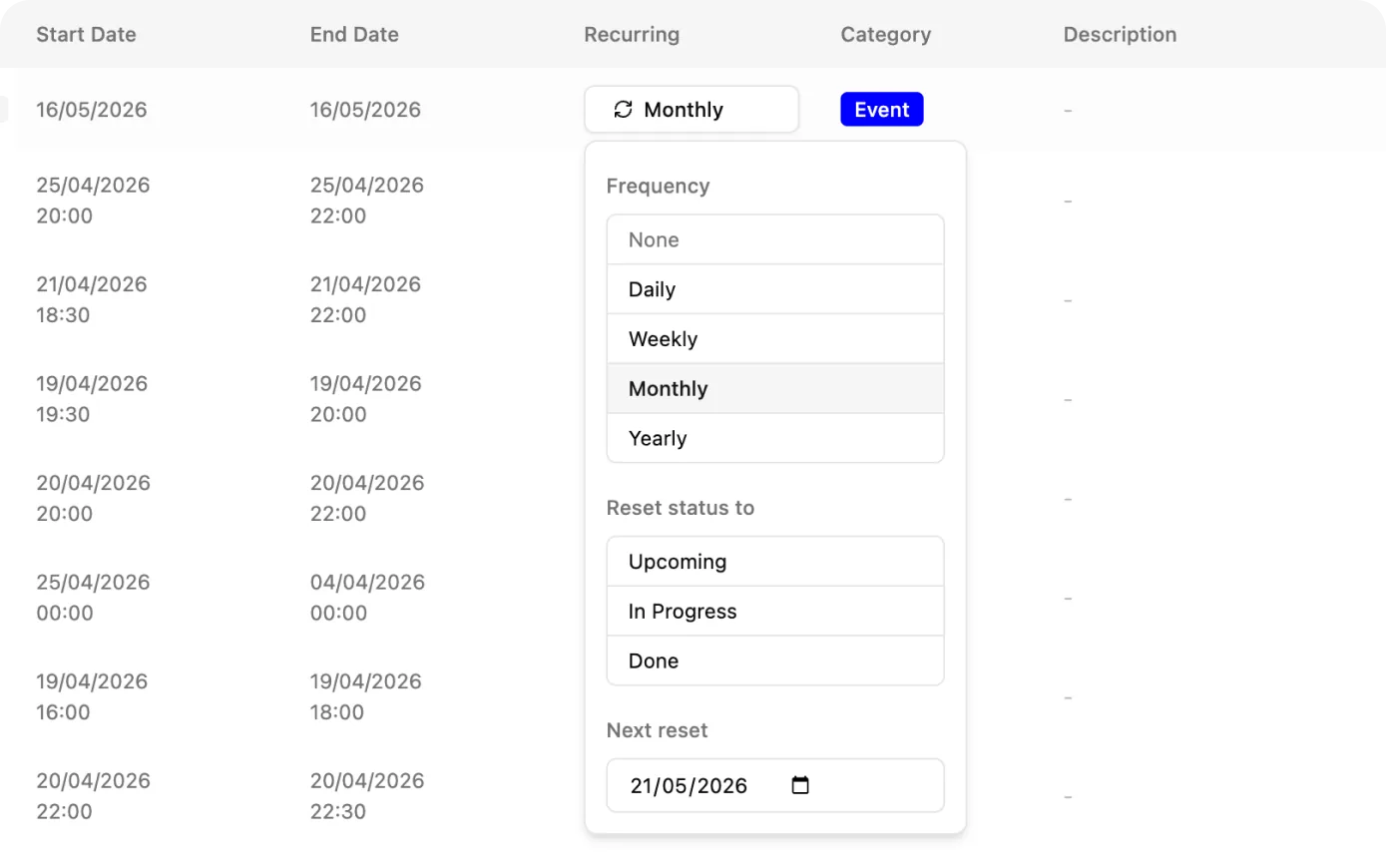
Recurring tasks
Set the standing items to repeat and they come back on their own — no re-creating them.
Linked to the work
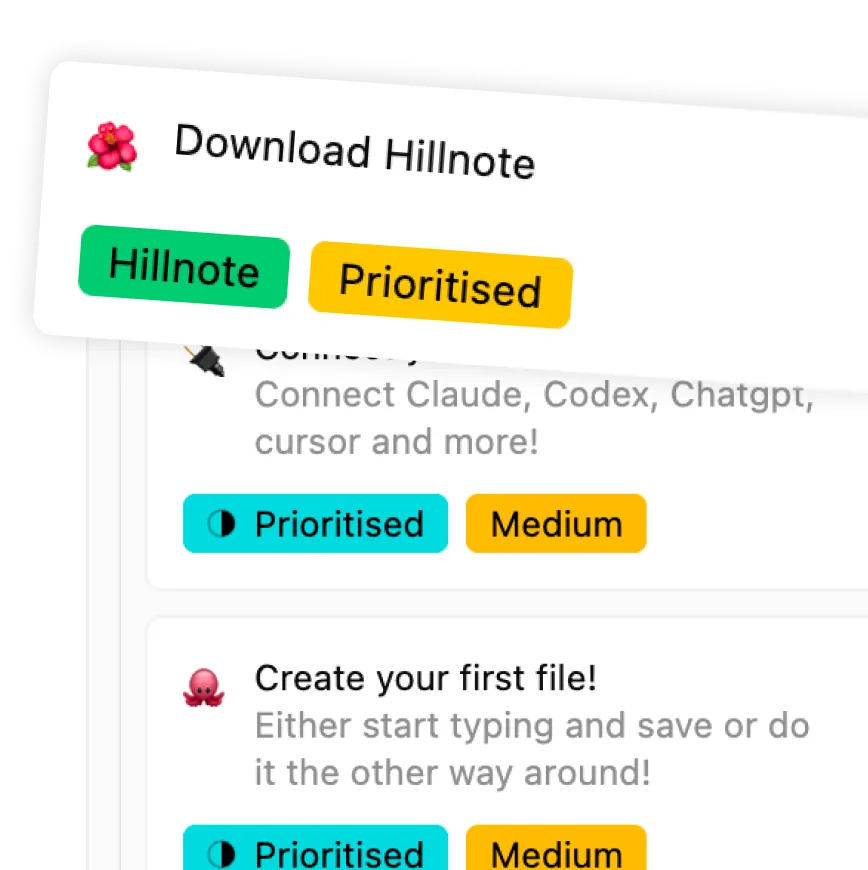
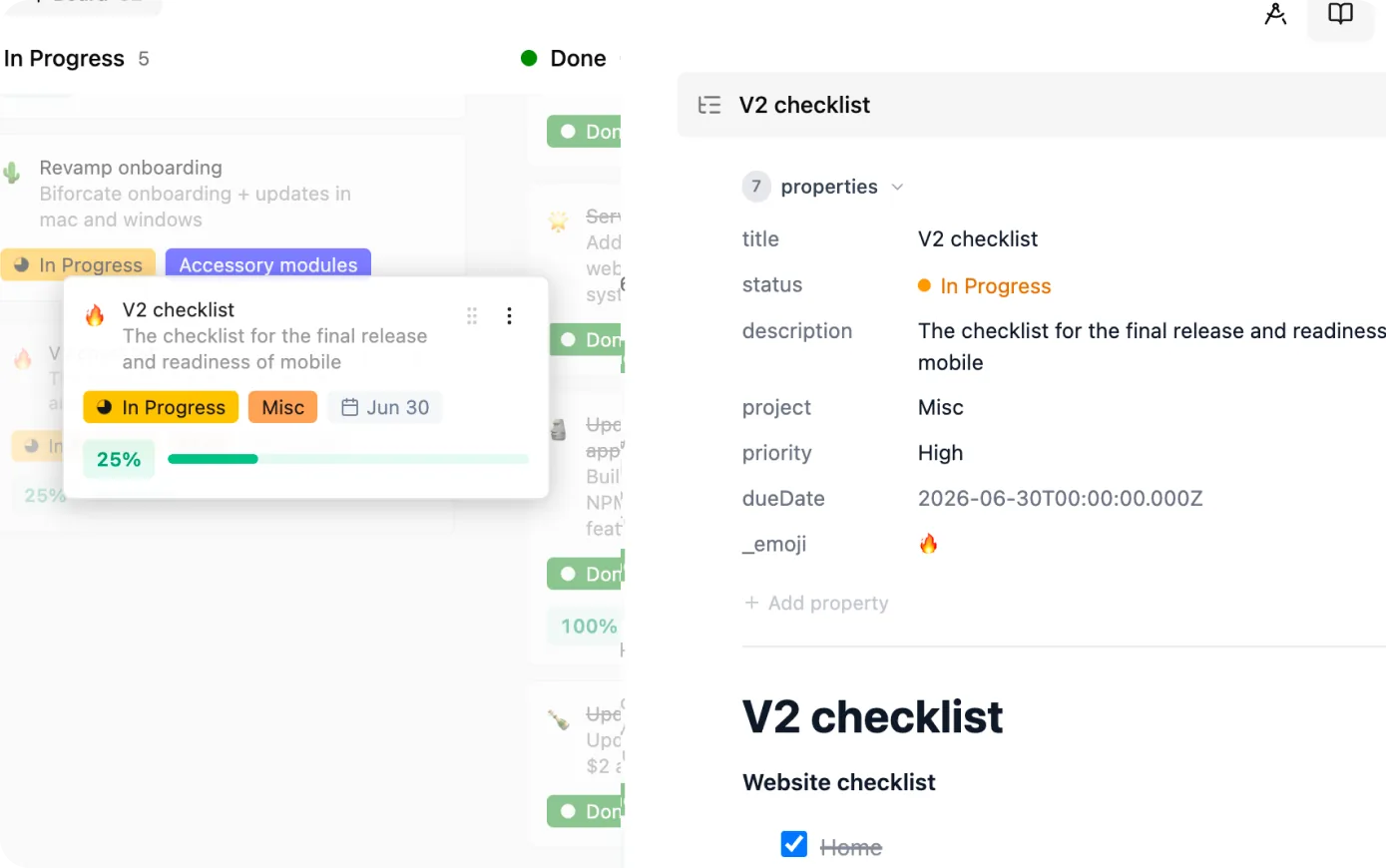
Every card ties back to the document it's about, so the plan never floats free of the work.
See it laid out in time — and show where it stands.
Deadlines and milestones don't hide in a separate calendar app: anything dated lays out on a month or week view alongside your notes. When it's time to report, turn the same documents into slides and walk anyone through progress without rebuilding a deck from scratch.
Built to keep a plan on the rails.

Kanban & tasklists
Drag work across columns or break it into nested checklists — each task linkable to its document.
Calendar view
Everything with a date, laid out on a month or week view right beside your notes.

Routines that monitor
Schedule AI to watch a board, document what changed, and queue up what's next — automatically.

 Download for Mac
Everything you need to get started.
- Core editor on desktop and mobile
- Local AI via Ollama and Apple Intelligence
- Limited premium model use
- 100MB of synced storage
- Collaboration on synced workspaces
Annual plan only
Publish, automate, and bring your own keys.
- Everything in Free
- 1GB of synced storage
- Publish a workspace as a doc, blog, or site
- Up to 3 routines
- Bring your own API key

Billed monthly
For power users who lean on frontier AI daily.
- Everything in Plus
- 10GB of synced storage
- Publish up to 6 workspaces
- Custom domain mapping
- Up to 5 routines
- 20× the premium model credits of Free and Plus
Planning questions, answered
How is this different from a separate task app?
Your plan lives on the same plain-markdown files as the work it's about. A task can link straight to the document, note, or spec it concerns, so your board and your material never drift into two disconnected places. It's all one workspace on your own disk.
Can I plan with boards, lists, and a calendar?
Yes. The same records can show up as a kanban board, a checklist, or — if anything carries a date — on a month or week calendar. Each view is just a different lens on the same underlying markdown, so you organize work however fits the moment.
Do recurring tasks work?
They do. Set a task to recur and the standing ones come back on their own, so you're not re-creating the same weekly or monthly items by hand.
Can routines and AI help manage the plan?
Save a routine to monitor a board, document what changed, and tee up what's next on a schedule. Because everything is open markdown, you can also hand it to Claude or another MCP client to structure or restructure the work directly — Plus includes up to 3 routines and Pro up to 5.
Can my team plan together?
Yes. Turn on sync and collaboration and the same workspace stays in step across people and devices, so a team can plan in real time on Mac, Windows, iOS, and Android. Leave it off and the plan stays a private local copy on your machine.