
Introducing Sheets!

Introducing Sheets!
I’m super excited to introduce Sheets. Our first new artefact type in a new category called datasets.
Datasets behave and function almost identical to databases (our organised folders) but drop the need for a dedicated file for each row item. This enables a dataset to work comfortably for rows that could be in the hundreds of thousands.
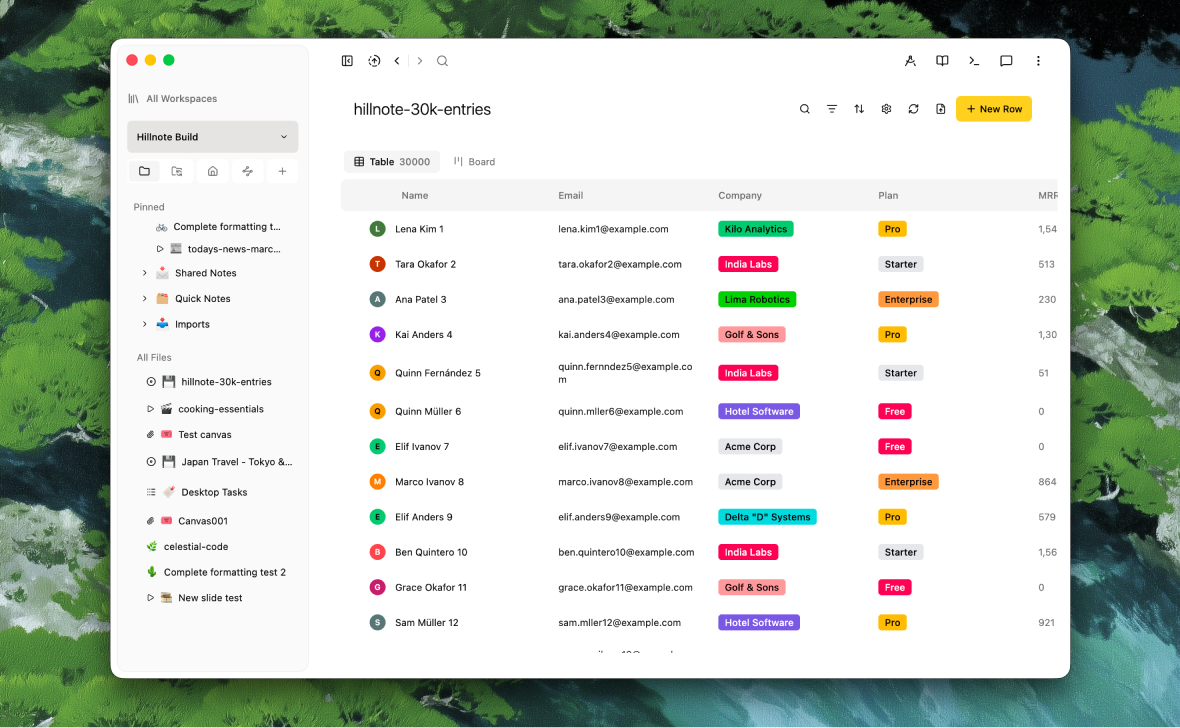 An example of a Sheet with 30,000 entries (I know - I know, it looks a lot like a database but I assure you I clarify the differences below 🙈)
CSV’s and creating a sheet
You can import a CSV to create a sheet or create one from scratch. Once built, new CSV files can be used to add to the rows. The sheet is also stored as a CSV which retains the open format philosophy of Hillnote.
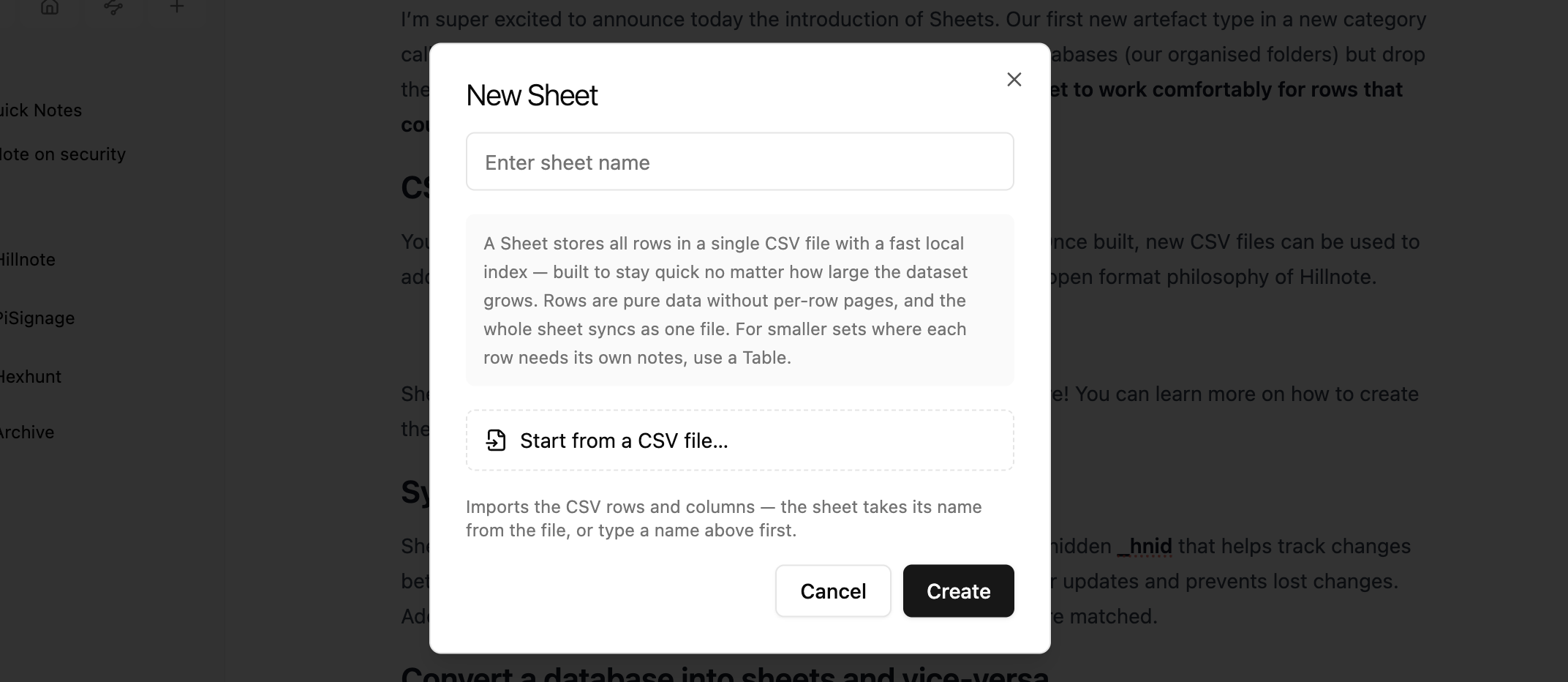 Sheets work similar to databases with views, Kanban boards and more! You can learn more on how to create them here: https://hillnote.com/docs/database
Sync and conflict handling
Sheets has a built-in conflict resolution system. Each row contains a hidden _hnid that helps track changes between syncing and merging. This feature makes it easier to monitor updates and prevents lost changes. Additionally, the system checks content to ensure the correct rows are matched.
Convert a database into sheets and vice-versa
You can use the 3 dot menu to transform a database to a sheet and back. We do also store a backup so if things are lost don’t worry!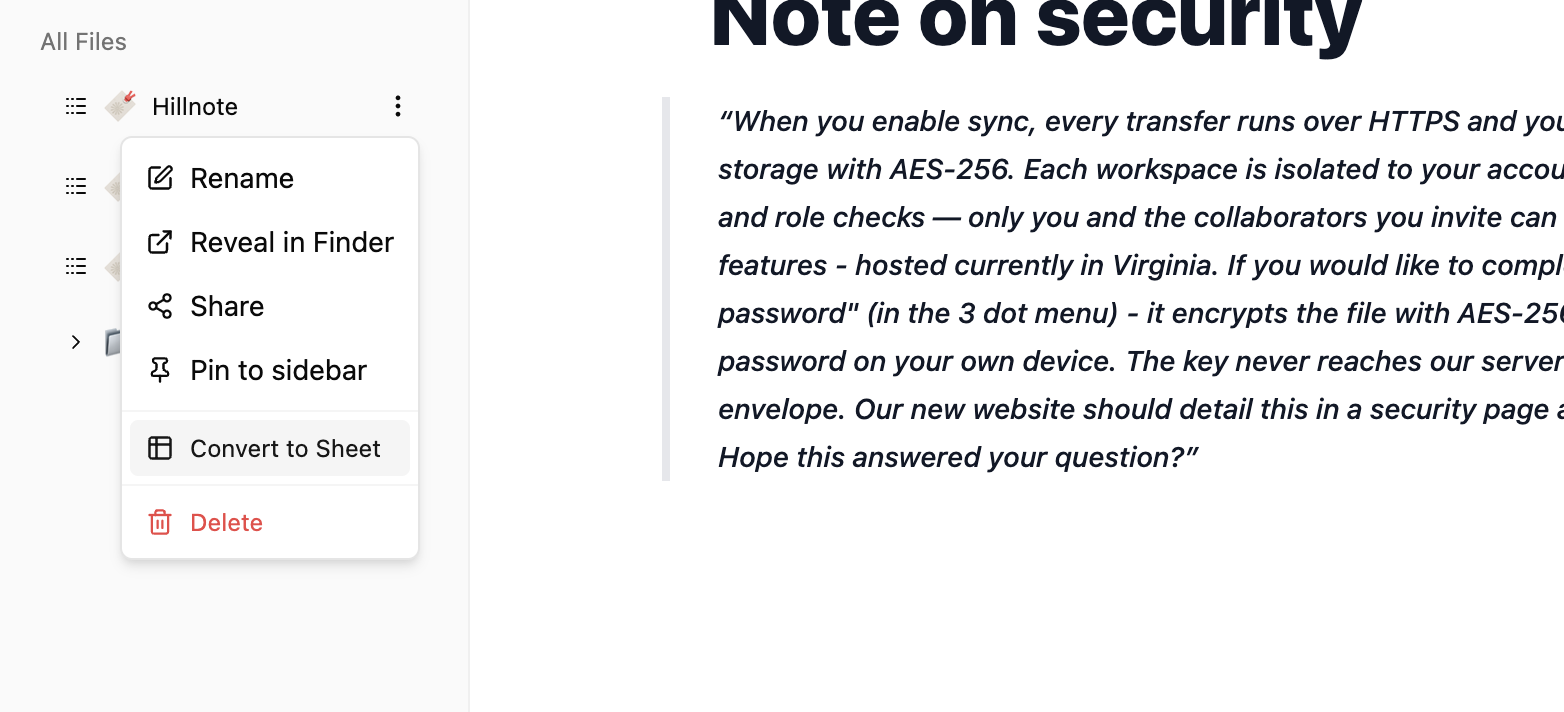
Comparing a database and a sheet

| Organised folders (Database) | Sheet | |
|---|---|---|
| Size | ~5000 | 250,000+ |
| Format | Multiple .md files | Single CSV |
| Page per row support | Native | None - Pages have to be linked in a document link column |
| Sample Usecases | Blogs, Collections, Project files, etc | Userbase, Platform metrics, Logs, Analytics, Financial data, etc |
We are super excited about the addition of sheets and have started using it across all of our operational efforts at Colloqi! This brings in large datasets as something accessible within your workspace while staying true to our local and privacy focused routes.
An area of focus for us as we move ahead will be in integrating with different platforms to help track your metrics and data on Hillnote.
Oh! before I forget both the local and cloud MCP are connected with the tools to work with your sheets!
As always! If you have any questions - please feel free to reach out 🫰🏼
With 👾
Rajath at Hillnote.com